
Mijn Tuinaannemer
A public platform with an automated back office for onboarding, AI enrichment, local SEO, account management and moderated profile changes.

At a glance
- Project type
- Product
- Year
- 2026
- Project stage
- Active
- Role of 5A Technologies
- Product strategy, solution architecture, full-stack development, AI integration and end-to-end automation.
- Technologies
- Next.js
- React
- TypeScript
- Tailwind CSS
- Directus
- PostgreSQL
Mijn Tuinaannemer workflow in which registration moves through validation, enrichment, geocoding and AI-assisted profile drafting to admin review, publication, account access and moderated portal changes. 1. Receive registration: Company, services, region, website and media 2. Validate fixed rules: Formats, duplicates, address and uploads 3. Enrich website and socials: Public context is added under control 4. Determine location and coverage: Coordinates, operating radius and postcodes 5. Prepare profile and SEO: AI drafts content from validated sources 6. Perform admin review: Sources, warnings and draft are reviewed together 7. Publish under control: Approved data feeds profiles and search layers 8. Provision account: Directus user, role, portal and status email 9. Manage profile in portal: Contractor proposes data and media changes 10. Record edit request: Public source data remains unchanged 11. Review the change: Administrator approves, corrects or rejects 12. Update public data: Only approved changes are applied Connections: Receive registration to Validate fixed rules (registration). Validate fixed rules to Enrich website and socials (validated foundation). Enrich website and socials to Determine location and coverage (enriched context). Determine location and coverage to Prepare profile and SEO (local coverage). Prepare profile and SEO to Perform admin review (profile and SEO draft). Perform admin review to Publish under control (human approval). Publish under control to Provision account (approved profile). Provision account to Manage profile in portal (secure access). Manage profile in portal to Record edit request (proposed change). Record edit request to Review the change (pending edit request). Review the change to Update public data (approved change). Perform admin review to Enrich website and socials (correction or reprocessing). Review the change to Manage profile in portal (rejected change). Update public data to Publish under control (public profile update).
Receive registrationCompany, services, region, website and media
Registration, publication and accessOnboarding starts with one structured applicationThe garden professional submits company and contact details, services, service area, website, social channels and permitted media. The structured application then activates the enrichment flow.
Validate fixed rulesFormats, duplicates, address and uploads
Validation, enrichment and data flowsFixed checks bound the input before enrichmentRequired fields, contact formats, URLs, duplicate profiles, address information and uploads are checked with fixed rules. Exceptions remain visible for human review.
Enrich website and socialsPublic context is added under control
Validation, enrichment and data flowsPublic sources enrich the registration under controlWebsites and social links are checked for availability and their relationship to the business. Useful context can enrich services, specialisms and regions; uncertain or conflicting information is not published automatically.
Determine location and coverageCoordinates, operating radius and postcodes
Validation, enrichment and data flowsLocation data feeds local search relationshipsThe address is geocoded. Location, the stated operating radius and postcode data provide controlled relationships for postcode search, regional results, map views and local service pages.
Prepare profile and SEOAI drafts content from validated sources
AI-assisted profile preparationAI prepares content within fixed publication boundariesAI suggests profile copy, a summary and metadata. Routes, canonicals, indexability, geographic relationships and structured data remain deterministic software logic.
Perform admin reviewSources, warnings and draft are reviewed together
Human moderation and approvalAn administrator decides which registration can proceedThe administrator reviews source data, enrichment, geographic coverage, warnings and suggested content. Data can be corrected, reprocessed, rejected or approved.
Publish under controlApproved data feeds profiles and search layers
Registration, publication and accessOnly approved source data becomes publicThe approved profile feeds profile pages, search results, map views, metadata, structured data and controlled sitemap and indexability logic.
Provision accountDirectus user, role, portal and status email
Registration, publication and accessAn approved profile receives bounded accessA Directus user is linked to the correct profile, receives the appropriate role and is sent controlled account and portal communication.
Manage profile in portalContractor proposes data and media changes
Registration, publication and accessThe professional manages their profile without a direct publication writeThe garden professional can propose changes to details, services, service area and media. The public contractor source is not overwritten directly from the portal.
Record edit requestPublic source data remains unchanged
Validation, enrichment and data flowsEvery proposed change receives a separate review stateThe requested change is stored as a pending edit request together with the information an administrator needs. The existing public version remains in place.
Review the changeAdministrator approves, corrects or rejects
Human moderation and approvalHuman moderation controls every public profile changeAn administrator compares the request with current source data and decides which changes can be applied responsibly. A rejection returns to the portal.
Update public dataOnly approved changes are applied
Validation, enrichment and data flowsAn approved change re-enters the publication logicAfter approval, the public source is updated under control. The profile update passes through the same rules for pages, search layers, metadata and revalidation.
AI prepares profile copy; routes, canonicals, indexability and relationships remain deterministic.
Only approved registrations and portal changes reach public source data.
Business validation does not guarantee recognition, permits or quality of work.
Communication, subscriptions and payments run as controlled background processes.
In brief
Mijn Tuinaannemer is a live Flemish platform where visitors search for garden professionals by service, region and postcode. They review profiles, completed work and service areas before contacting a selected professional directly. The platform does not sell leads or organise a bidding contest.
An automated back office supports the public website. Registration, fixed validation, public-data enrichment, geocoding, AI-assisted profile drafting, local SEO, account access and communication form one operational flow. Publication and sensitive profile changes remain under human control.
- Context: public discoverability and operational management for Flemish garden professionals
- Project: live platform with a public website, contractor portal and automated back office
- Status: live
- Role of 5A Technologies: product concept, solution architecture, full-stack development, data model, automation, security, technical SEO and deployment
- Core principles: approved source data, bounded AI, deterministic SEO and human publication control
Important design principle
AI can prepare profile content but does not autonomously decide what becomes public. Uncertain information and sensitive profile changes remain visible for human review.
The challenge
Maintaining a platform with local business profiles involves recurring operational work:
- validating registrations and contact details;
- structuring websites, social channels and services;
- geocoding addresses and linking service areas;
- preparing profile copy and metadata;
- managing accounts, invitations and status messages;
- reviewing media and profile changes;
- following up subscriptions and payments;
- keeping public search, region and service pages consistent.
The solution needed to reduce repetitive work without automatically publishing uncertain information or delegating the quality assessment of a garden professional to software.
The operational lifecycle in four phases
The public experience and back office share one controlled lifecycle from registration to publication and later profile management.
Registration and fixed validation
A garden professional submits company and contact details, services, specialisms, service area, website, social channels and permitted media. Fixed rules check formats, duplicates, address information and uploads.
Public-source enrichment and geocoding
Submitted public sources are checked for availability and their relationship to the business. Useful context can enrich services, specialisms, regions and contact information. Conflicting or insufficiently certain information remains visible for review and is not published automatically.
Geocoding converts the address into coordinates. Location, the stated operating radius and postcode data provide relationships for postcode search, regional results, map views and local service pages.
AI-assisted profile preparation and review
Based on validated sources, AI prepares a consistent profile draft with a summary, detailed profile copy and suggestions for metadata and alternative text.
The AI layer does not determine routes, canonicals, indexability, geographic relationships or structured data. These remain fixed, testable software logic. An administrator reviews the sources, warnings, geographic coverage and suggested content and can correct, reprocess, reject or approve them.
Publication, account access and moderated changes
After approval, the profile feeds the public profile page, relevant search layers and local metadata. A linked Directus user receives the appropriate role and secure access to the contractor portal.
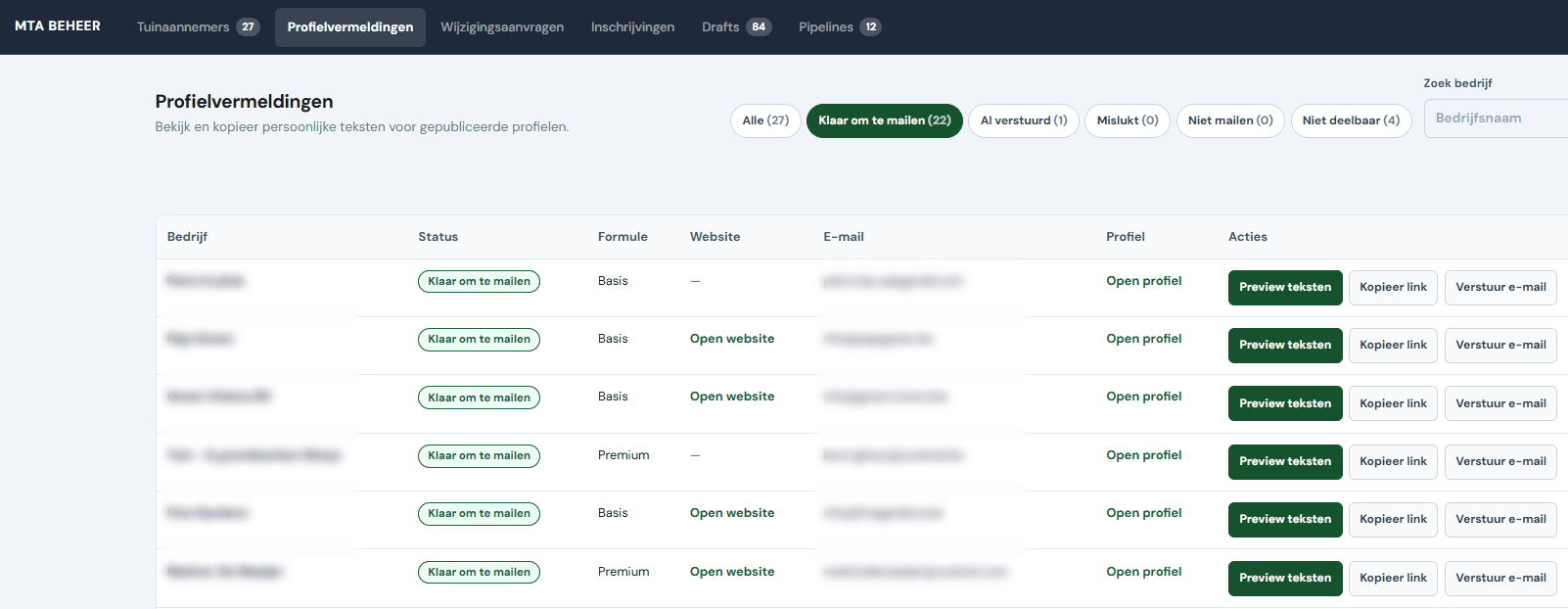
Transactional communication supports registration confirmation, missing-information requests, decisions, account access, onboarding and relevant subscription or payment states. Delivery status and history bound retries and help prevent duplicate messages.
The garden professional can manage their own details, services, service area and media in the portal. A proposed portal change does not directly overwrite the public source; it is stored as a separate edit request. An administrator compares the request with the current source data and approves, corrects or rejects it. Only an approved change returns to the website through the same controlled publication logic.
Public platform
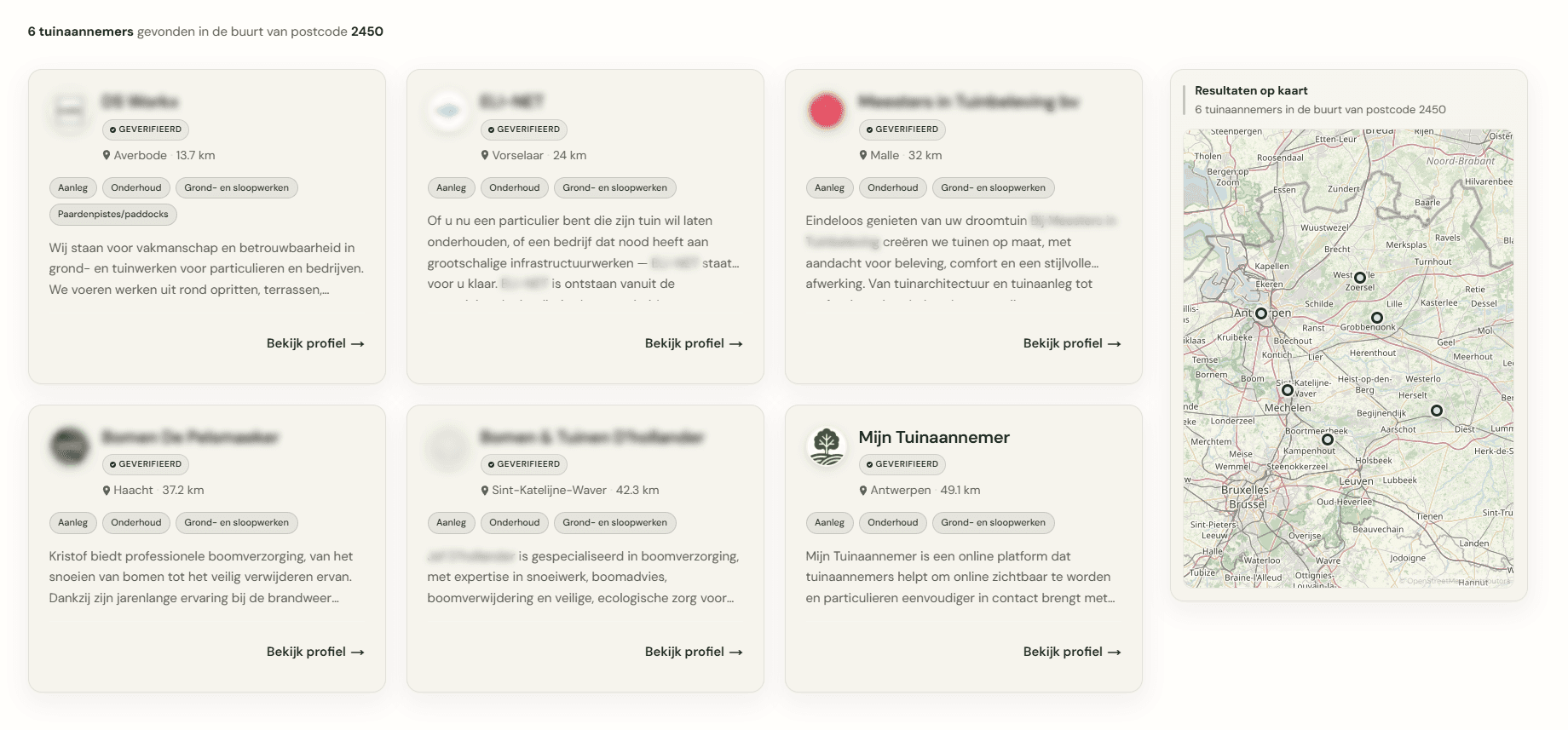
Visitors search by postcode, region and service, compare relevant profiles, view photos and completed work and contact a professional directly. Server-side rendering and controlled revalidation support fast, indexable profile, service and region pages.
The back office processes registrations and profile data outside the public read layer. Only approved source data feeds search results, maps, metadata, structured data, internal links and sitemap logic. Public pages have no direct write access to operational profile data.
Architecture at a glance
The solution combines a public search experience, operational data, background workflows and secure access.
Public experience
- Next.js, React and TypeScript support the public website.
- Visitors search by postcode, region and service and review profiles, photos, completed work and service areas.
- Server-side rendering and controlled revalidation support fast, indexable profile, service and region pages.
Data and operational back office
- Directus and PostgreSQL manage content, relationships, users and workflow data.
- Registrations and profile data are processed outside the public read layer.
- Only approved source data feeds search results, maps, metadata, structured data, internal links and sitemap logic.
Workflows and integrations
- n8n supports background processes and connections to AI, communication, geocoding and payments.
- Geocoding connects the address, operating radius and postcode data to search results, regions, maps and local service pages.
- Delivery status and history bound retries and help prevent duplicate transactional communication.
AI-supported promotion and campaign optimization
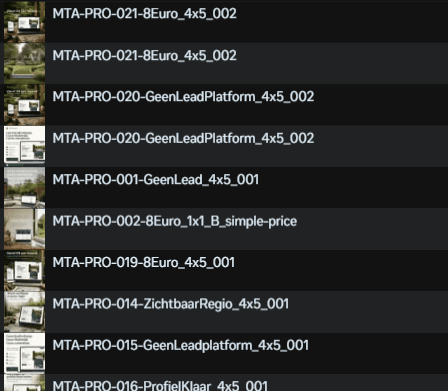
The image shows a set of ad variants for Mijn Tuinaannemer that were prepared through an AI-assisted workflow. Using Codex, MCP-driven processes and iterative analysis, campaign assets could be created, evaluated and refined with the goal of reducing cost per lead and improving advertising performance in a controlled way.
Security and publication
- Tokens and secrets remain server-side.
- Roles and profile links restrict portal access to the owner's profile.
- The public website reads only publishable data and has no direct operational write access.
- Portal changes do not directly overwrite the public source and return through the controlled publication logic only after approval.
Our contribution and qualitative result
At 5A Technologies, we shaped the product concept and business model and delivered the solution architecture, public search and profile experience, full-stack implementation, Directus data model, onboarding and enrichment, AI-assisted profile preparation, geocoding, portal and admin flows, communication, payments, security, technical SEO and deployment.
Mijn Tuinaannemer connects public discoverability with a manageable operational lifecycle. Garden professionals manage their presence, visitors find relevant profiles and the platform team retains control over publication and exceptions.
Deliberate boundaries
- Business validation does not guarantee recognition, permits or quality of work.
- AI prepares content but does not autonomously decide what becomes public.
- A submitted portal change does not appear on the website automatically.
- No guaranteed rankings, leads, revenue or conversion results are claimed.
- Internal prompts, tokens, customer data and private integration details remain outside the public project page.
What this project demonstrates
This project shows how 5A Technologies:
- designs public discoverability and an operational profile lifecycle as one system;
- validates registrations, address information and uploads with fixed rules;
- enriches public sources while conflicting or uncertain information remains under review;
- separates AI-assisted profile preparation from deterministic routes, canonicals, indexability, geographic relationships and structured data;
- uses geocoding for postcode search, regional results, maps and local service pages;
- routes profile changes through separate edit requests and human moderation before publication.
Public links
Would you like to discuss a similar solution?
Tell us where your process slows down today or where AI and automation should work together more effectively. We will explore which controlled approach fits.